Our solutions

Two self-checkout solutions.
Choose yours.

Prestalib offers two ways for your users to borrow and return items by themselves. The difference is who owns the device that reads the item. Both connect to your library management system and can coexist in the same library.

The user’s own phone

My Prestalib App

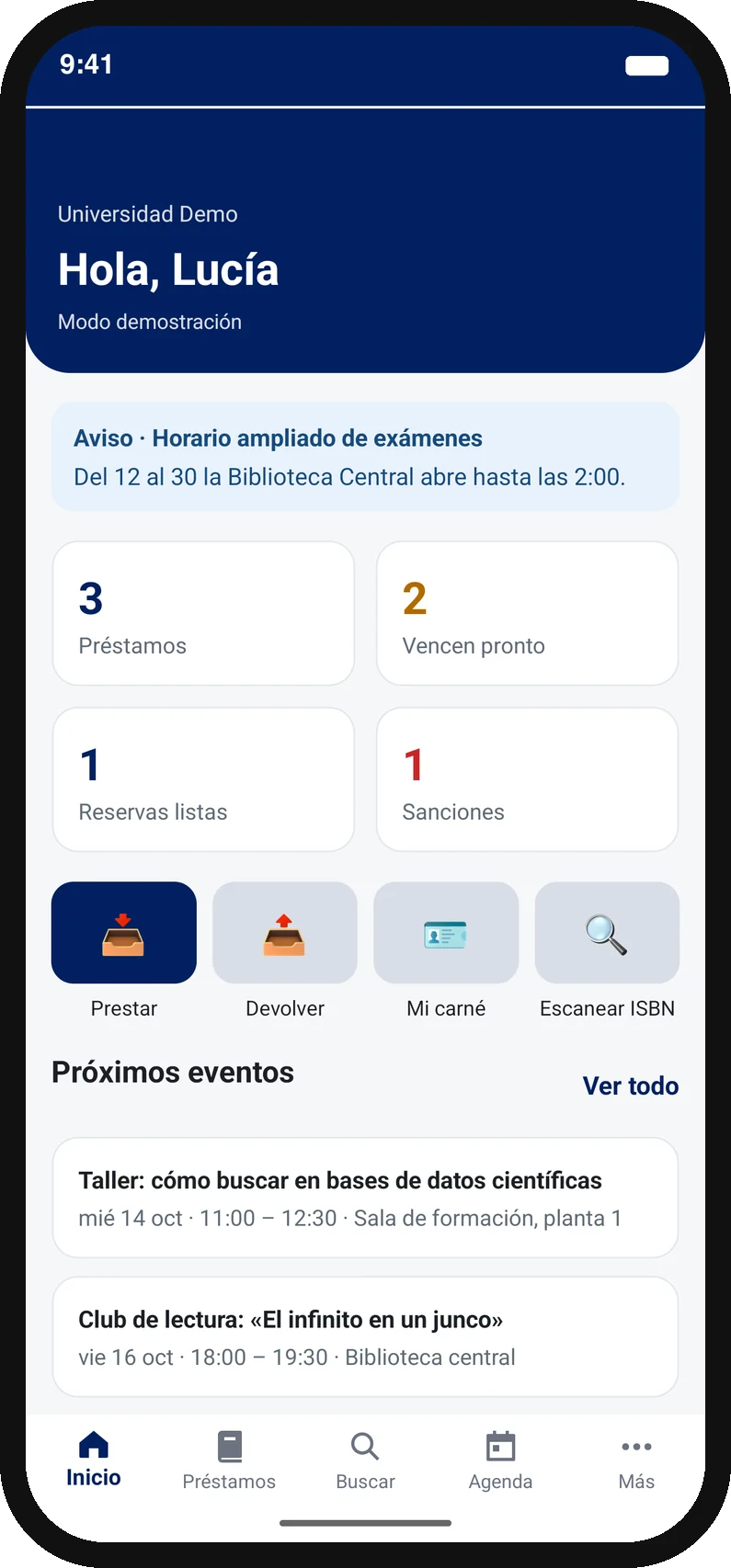
A bespoke Android and iOS app with your branding, compatible with most modern library systems via SIP2. Borrowing and returns through the phone’s own NFC reader.

My Prestalib App on a student’s phone
  • Installed on the student’s own phone.
  • NFC self-checkout, in-library returns, renewals and catalogue access.
  • Phone reminders, university branding and languages included.
Explore My Prestalib App

Library-owned devices

Prestalib Smartphones

Your library’s smartphones and tablets configured as shared self-service points, placed where you decide, with nothing for the user to install.

Prestalib Smartphones on a library-owned device
  • Users borrow through a library-owned device.
  • Item identification using RFID and barcodes.
  • Serves visitors and anyone not using their own phone.
Explore Prestalib Smartphones

Side by side

How they differ.

Neither replaces the other in every case. This table sums up where each one performs best.

My Prestalib App compared with Prestalib Smartphones.
CriterionMy Prestalib AppPrestalib Smartphones
Who owns the deviceThe user: their own Android phone or iPhone.The library: one of your own smartphones or tablets.
Where the reader isIn the user’s pocket, on any floor or site.At the point where the library places the device.
RFID tagsHF only, through the phone’s NFC. It cannot read UHF.HF through the device’s NFC and UHF through an external reader connected over Bluetooth.
What the user needsTo install the app and have a compatible NFC phone.Nothing: they sign in on the device and operate there.
CoverageThe whole library, right at the shelf, with no queues.Wherever the device is; it can be relocated.
Visitors and external usersThey must download the app before using it.Served with nothing to install.
Services beyond borrowingCatalogue, account, renewals and phone reminders at any time.Those of the session in front of the device.
Floor spaceNone.That of the device stand.
Library management systemBoth are compatible with most modern library management systems via SIP2.
When to choose itA stable university community with their own phones, to whom you want to offer a branded service.A changing public, users without a compatible phone, or specific points in the room you want to cover.
What if I need both?

It is a common combination: the app as a service for the university community, and one or more library devices for anyone who cannot or does not want to use their own. Both connect to the same library management system and share circulation policies, so the project is scoped once. In the pricing configurator you can choose both and get a combined quote.

Quote for both solutions

Support throughout

Integration, testing and support.

The implementation process is the same for both solutions.

01

Review your library

Your library system, RFID, authentication and the services you want to offer.

02

We configure your solution

We adapt the app or the devices to your branding and connect the agreed features.

03

Test together

We validate borrowing, returns and permissions with test items and accounts.

04

Support your launch

We prepare implementation, support and updates.

Comparing with fixed equipment too? Read the guide to the library self-checkout machine.

Your next step

Your quote,
in two minutes.

Starting prices on show, a compatibility check and a formal PDF quote for your university, without waiting for a call: the access link goes to your institutional email.