Self-checkout
The phone’s built-in NFC reader reads the item’s RFID tag. The app automatically records the loan in your library system, respecting its permissions.

My Prestalib App · Android & iOS
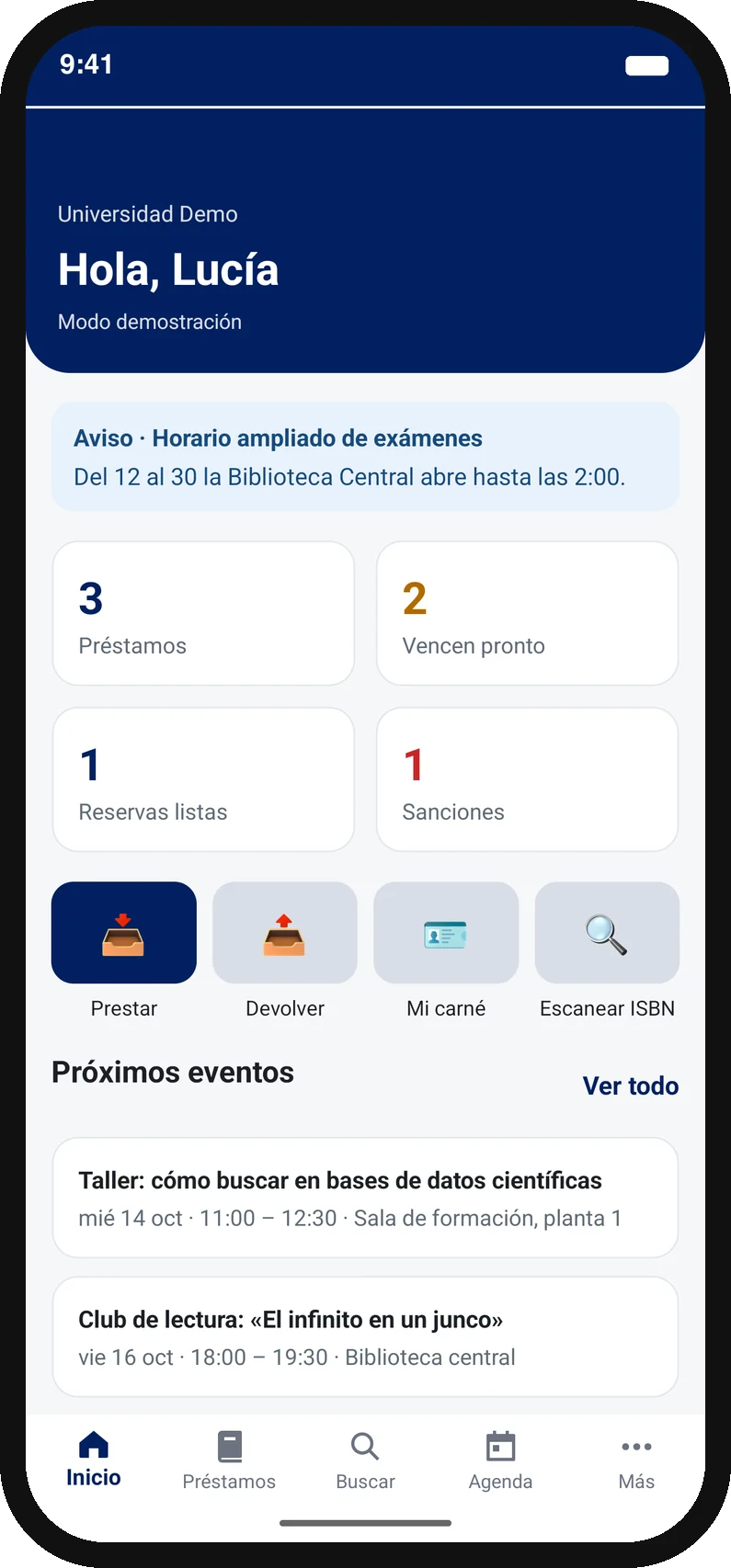
Users hold their phone close to an item and the app records the loan or return and handles RFID security automatically. A simple experience with your branding, compatible with most modern library management systems via SIP2.
Video · 80 seconds · English narration
Sign-in, borrowing, the two-step return inside the library, the digital card and how it connects to your library system. No meeting needed.
Recorded in the “Biblioteca Prestalib” demo app; sample books and events are in Spanish. Each university gets its own app, with its branding and languages. Try the interactive demo · Free 30-day pilot with your own books
The phone is the RFID reader
The reader travels with the user: the phone’s own NFC reads the item’s RFID tag, right at the shelf and on any floor. The app records the transaction in your library system and handles security automatically.
The user opens your library app on their phone and chooses the transaction.
The built-in NFC reader reads the book or library item’s RFID tag.
The loan or return is recorded and RFID security is handled automatically.
The app requires the user to be inside the library to complete a self-return. Once the return is recorded, they leave the item at the designated return point.
NFC reading requires a compatible phone and HF RFID tags: a phone’s NFC cannot read UHF tags. The app also identifies items by barcode with the camera, so in libraries without security gates it works without RFID.
What your users can do
The phone’s built-in NFC reader reads the item’s RFID tag. The app automatically records the loan in your library system, respecting its permissions.
The app only allows returns inside the library. Users read the item with their phone’s NFC reader, the return is recorded, and they leave it at the designated point.
Catalogue access and hold information to help users find materials and plan their next visit.
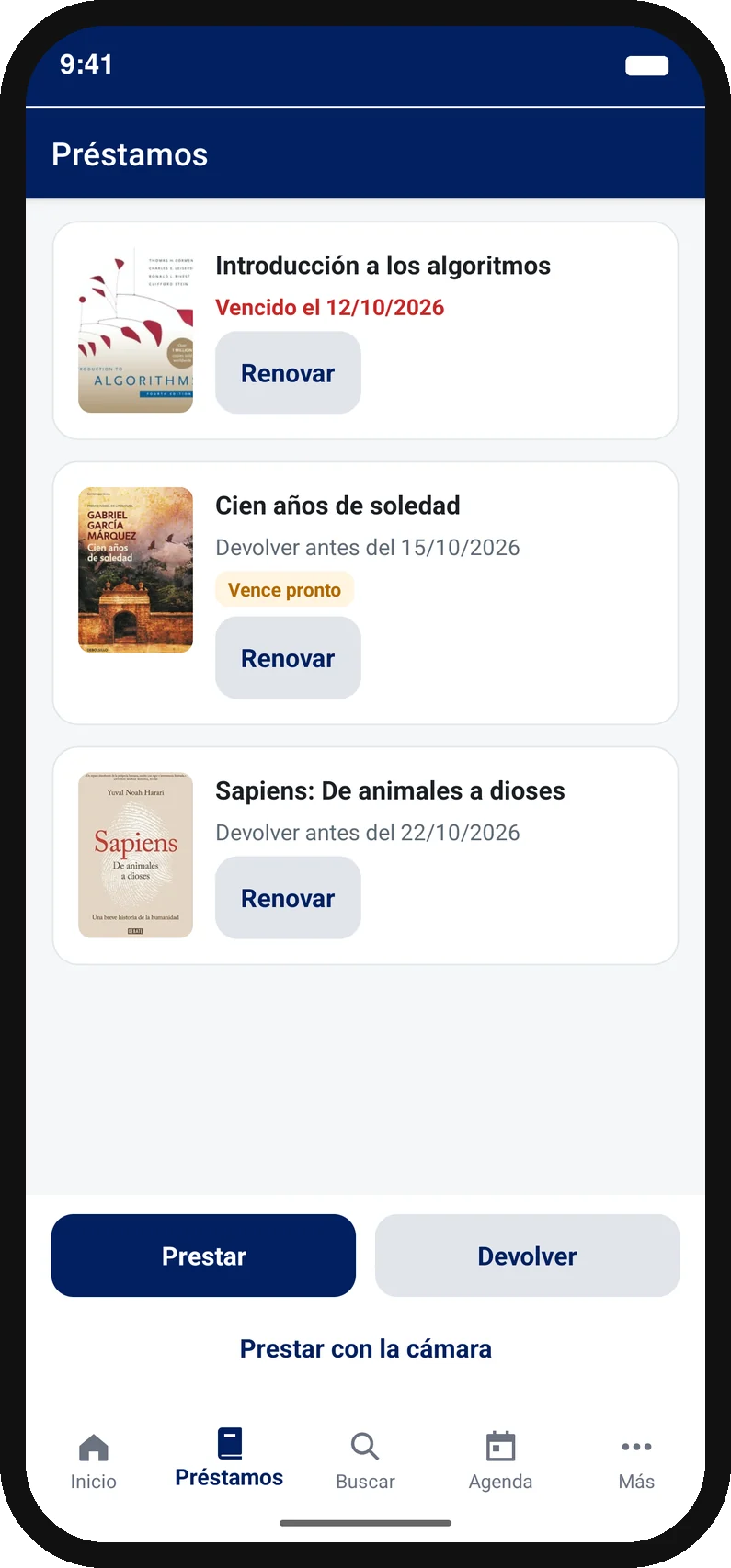
Renewals from the user’s account, subject to your library’s conditions and restrictions.
Due-date reminders on the phone, an events calendar with reminders and library notices on the app’s home screen.
The phone automatically handles the RFID tag’s security state during borrowing and returns. The app also reads barcodes with the camera: in libraries without security gates it works without RFID.
The scope of each feature is validated against the library system, device and agreed configuration.
Your identity, on their screen
We personalise the experience so students recognise their library from the start.
Related guides: library self-checkout and library apps. Need to cover users who do not use their own phone? Prestalib Smartphones.
Alerts on the phone and in the app
The app reminds users on their phone of what they must not forget and shows your library’s notices on its home screen, which you can change at any time without publishing a new version.
Through your own library app, with your branding and in each user’s language.
From product to practice
Explore public examples of Prestalib on users’ own phones.
Universidad de Castilla-La Mancha
The university explains how students use the app for borrowing, returns, renewals and catalogue access.
View the university service
Universidad del País Vasco
A published app for account access, borrowing and returns with a compatible NFC phone.
View the App Store listingThese are examples of university use. Features and configuration vary by institution.
The other solution
Self-checkout on library smartphones and tablets, for users who do not use their own phone or prefer a fixed point.
The details that matter
Yes. My Prestalib App is installed on a user’s Android phone or iPhone. Prestalib Smartphones is a separate solution for shared, library-owned devices.
No. Prestalib is compatible with most modern library management systems via SIP2. We connect the app to the system you already use and adapt integration to your circulation policies.
Self-checkout with the app needs a phone with compatible NFC and HF RFID tags: a phone’s NFC reader cannot read UHF tags. If your library uses UHF, Prestalib Smartphones can read them with an external reader connected over Bluetooth. For each project we check devices, tags and security, and review barcode workflows too.
Only inside the library, in two steps: the user selects return, holds the phone first to the fixed return-point tag (we supply those tags) and then to the book’s tag. The app records the return, re-arms security and the user leaves the book at the designated point.
Yes. The app sends a phone reminder before a loan is due or an event starts, and shows library notices (opening hours, closures, emergencies) on its home screen, which can be changed without publishing a new version. We are also preparing push notification campaigns.
From €9,800 + VAT implementation and €3,600 + VAT per year; the pricing page gives you the formal quote for your libraries and sites instantly. Implementation takes about three weeks from when we have the information and access we need.
Yes. The app includes nine languages and can be translated into any other. We review your country, implementation and support requirements together.
Your next step
Starting prices on show, a compatibility check and a formal PDF quote for your university, without waiting for a call: the access link goes to your institutional email.